To maintain the integrity of online assessments, our platform offers a suite of proctoring features designed to prevent cheating and the use of unauthorized external aids, such as AI tools (e.g., ChatGPT, Gemini).
To apply proctoring, start by selecting the test from the tests tab:
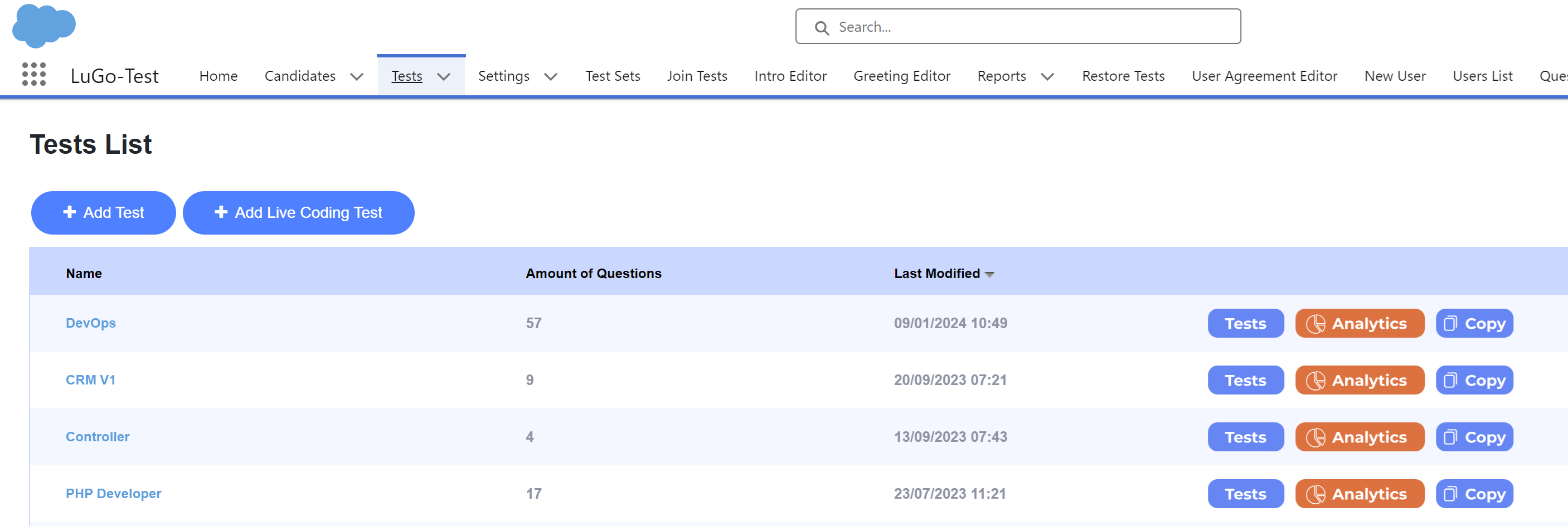
Press on the "Supervised" button:

You will see the following options:
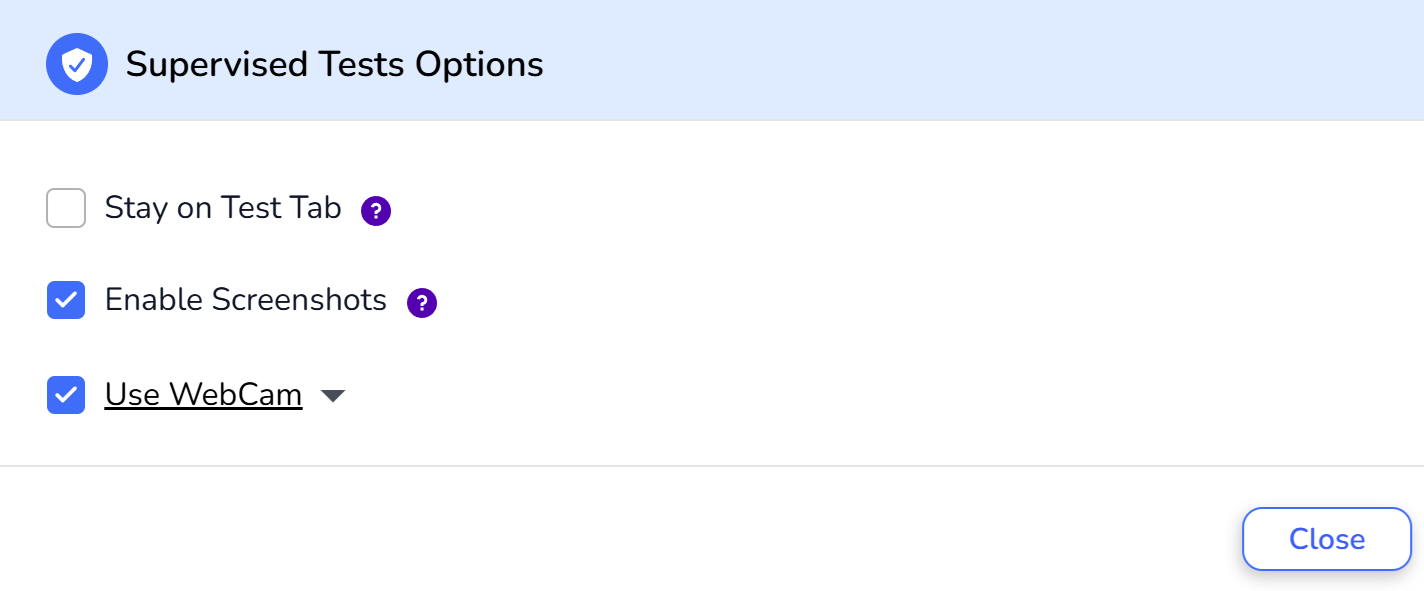
Enable Screenshots
Before the test begins, candidates must grant screen-share access. The system starts taking screenshots every few seconds if the candidate navigates away from the test tab.
Our AI analyzes these screenshots to detect the use of prohibited websites or applications. Utilizing AI tools like ChatGPT results in disqualification after a first warning.
Receive a risk analysis report with suspicious screenshots at the test's conclusion.
Here is a short clip that shows how we detect ChatGPT
Use Webcam
Initial Check: The test begins only after the system detects a human face. This step ensures that the actual candidate is present at the start of the test.
Continuous Monitoring: During the test, the webcam periodically captures the candidate's face to verify ongoing presence and ensure no one else is assisting.
After the test, you will receive a profile picture report detailing any risks identified during monitoring. This includes instances where multiple people were detected or the presence of additional devices that might aid the candidate.
Stay on Test Tab
This option prevents candidates from accessing other applications or browser tabs during the test.
Breaching this rule results in test disqualification following a warning.
By utilizing these proctoring features, our platform ensures a fair and secure testing environment for all candidates.
Was this article helpful?
That’s Great!
Thank you for your feedback
Sorry! We couldn't be helpful
Thank you for your feedback
Feedback sent
We appreciate your effort and will try to fix the article